2. STIGMan Application Management Guide
2.1. STIGMan App Manager Guide
Lists functionality available to App Managers (often called “admins” for short) in the STIG Manager app. For information about administering a deployment of STIG Manager, please see Setup and Deployment.
2.2. Application Management Branch
The Application Management branch provides access to the following Application Management panels.
2.2.1. Collections Admin Panel
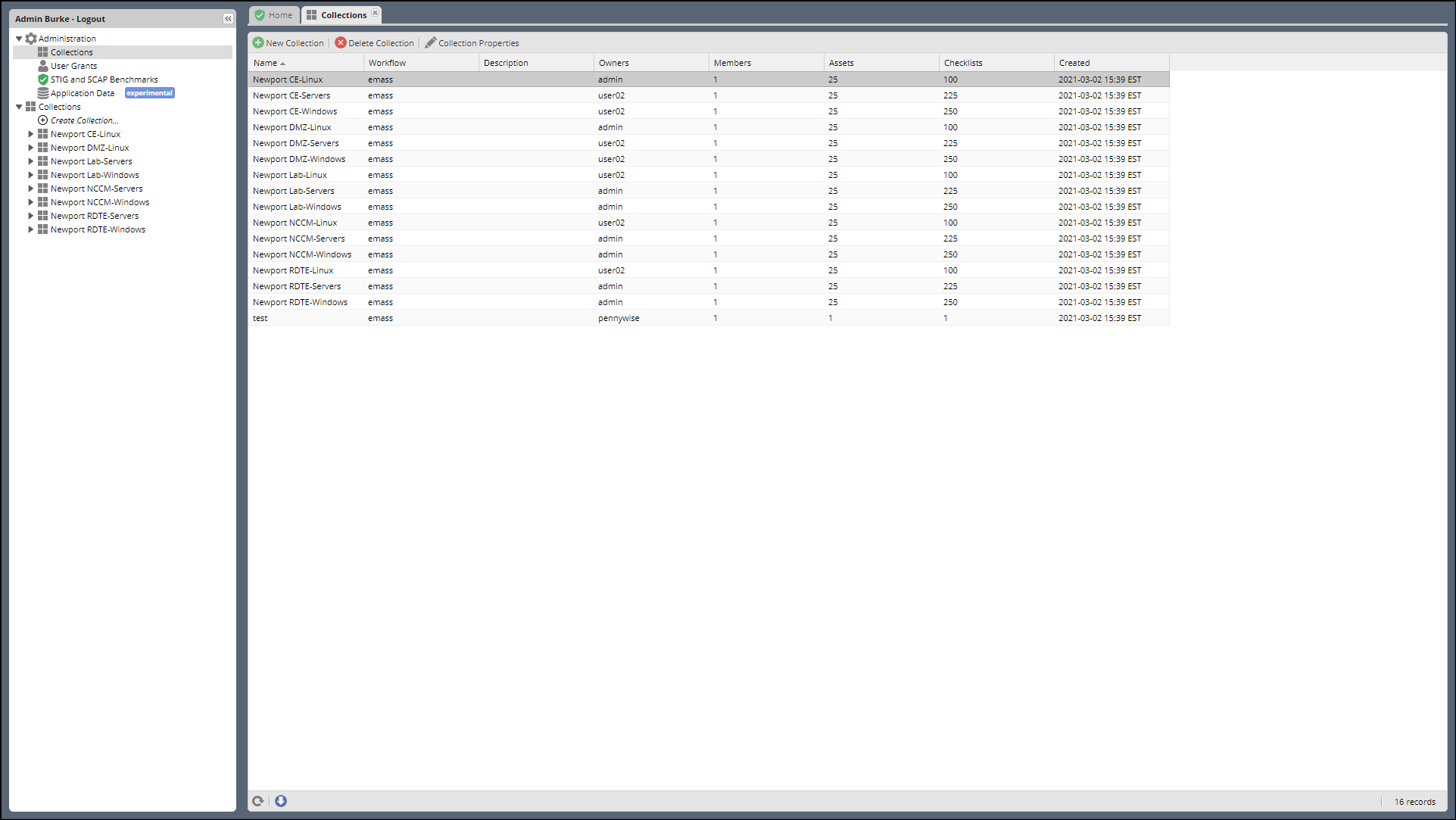
This Panel lists every Collection in the STIGMan system, and allows you to create, delete, and alter them with the buttons at the top. The columns list the Collection Name, Description, Owners, total User members, total Assets, total assigned STIGs, and the date of creation.
Note
Be sure to assign a new Collection an Owner, or no one except for App Managers will be able to see it!
2.2.2. User Grants Admin Panel
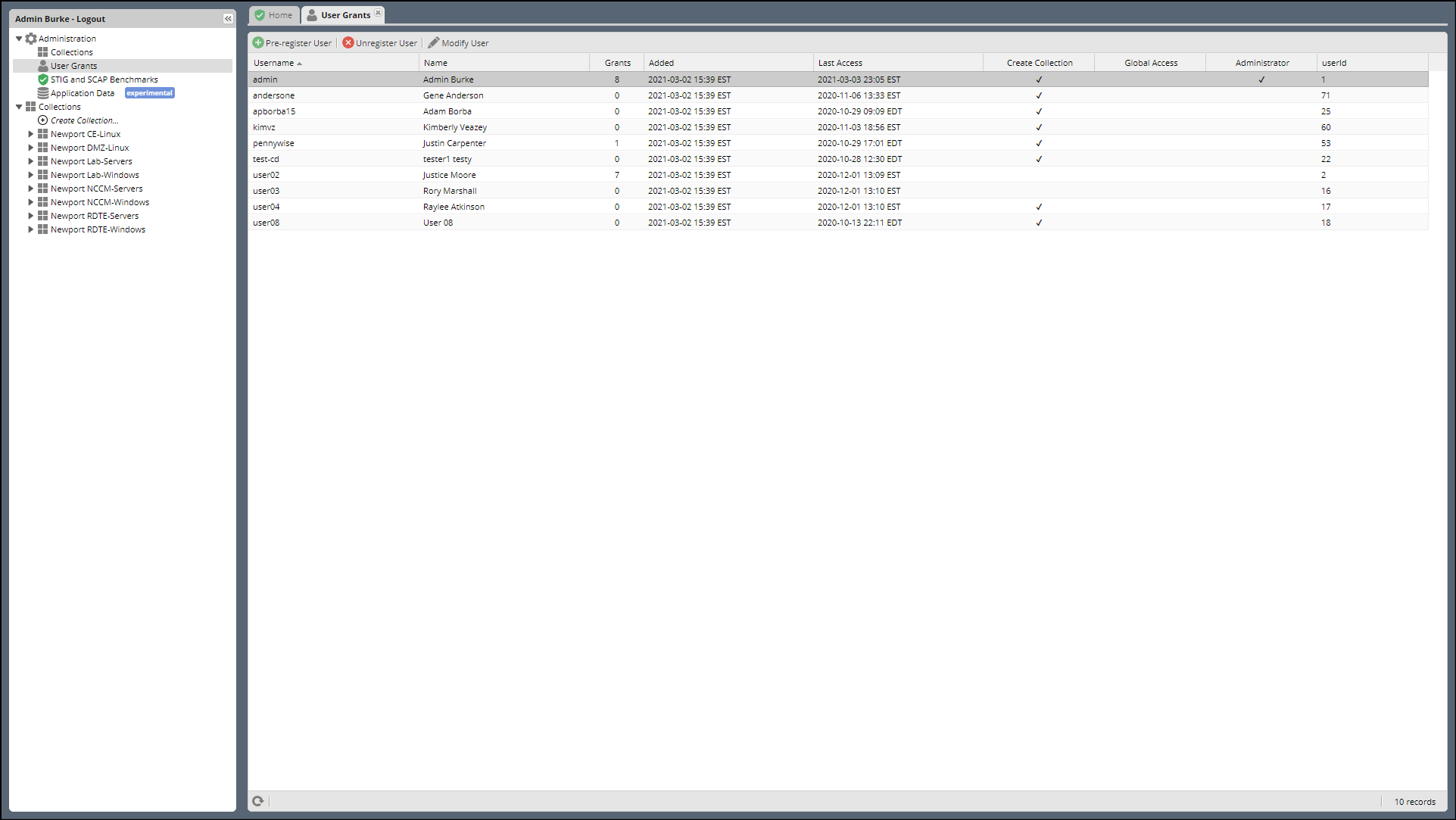
This Panel lists every User known to the STIGMan system. The columns display usernames, Display Name, date of first User access, last User access, User’s privileges ( Create Collection or Administrator), and their internal userid.
STIG Manager’s Users are automatically created when they have successfully used your Authentication Provider to authenticate and are redirected back to the STIGMan application.
Users can be pre-registered before they have authenticated with your Authentication Provider, but the username must match exactly.
Users can be Unregistered from STIG Manager, which will delete STIGMan’s information about the User. If the User accesses STIG Manager again, they will appear as a new User, with no STIG Assignments or Collection Grants.
2.2.2.1. User Properties
Last Claims
2.2.3. STIG Benchmarks Admin Panel
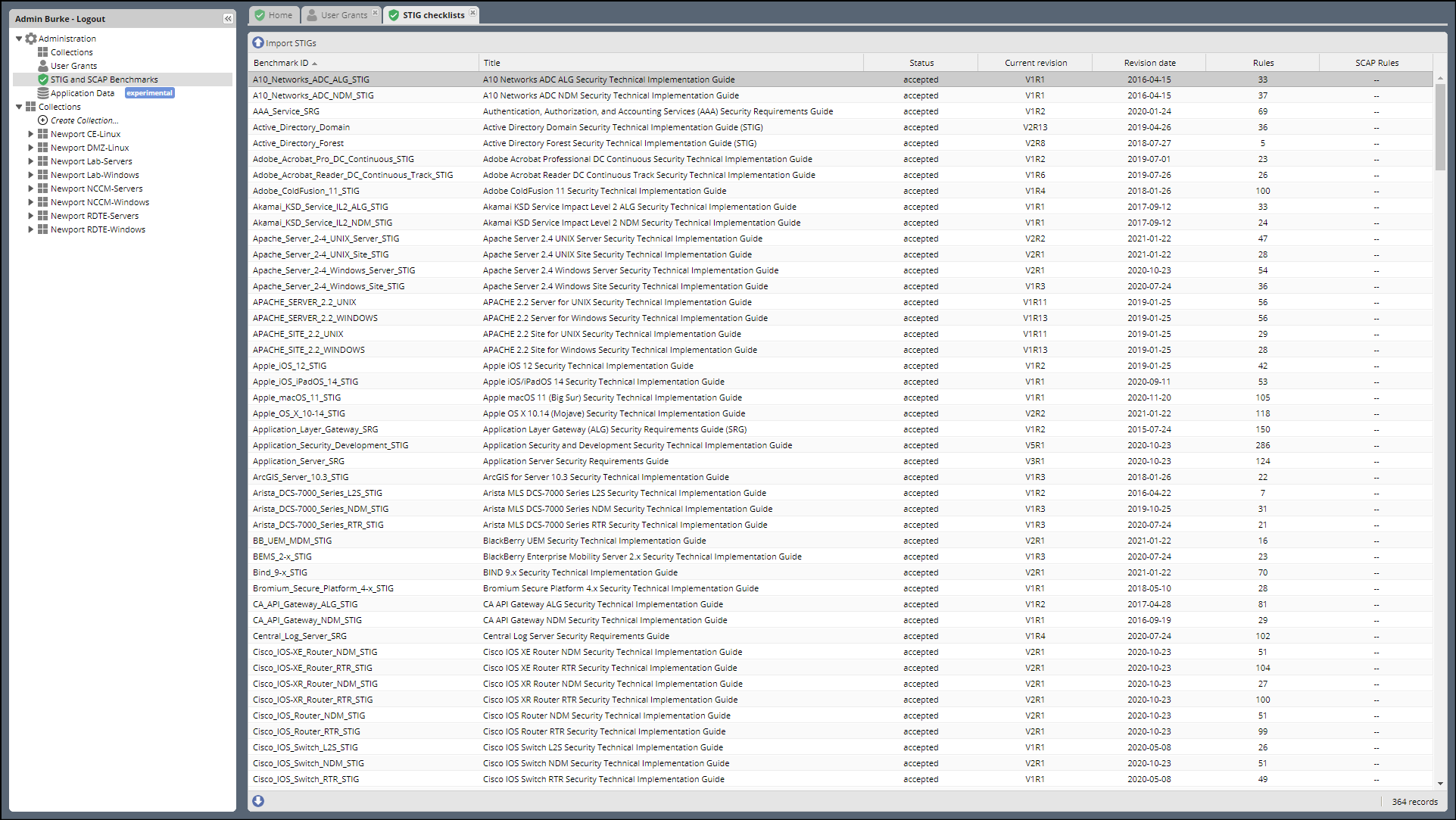
This panel lists every STIG that has been loaded into STIG Manager and allows App Managers to import new STIGs into STIG Manager. The panel indicates the Benchmark ID, STIG Title, status, Current Revision, Revision Date, number of Rules, and number of potentially automated Rules for each STIG.
Use the buttons at the top to add new STIGS, delete entire STIGs or specific revisions. STIGs can be imported individually, or as a .zip library of many STIGs.
Note
STIG Manager only knows about the STIGs you have imported into the system. This action must be performed by App Managers, often quarterly to keep pace with DISA releases. Once a new STIG revision is imported, that revision becomes the default STIG that is presented for Review to the User. Reviews for old STIGs still in the system can be viewed with the Checklist->Revisions menu item in the Asset Review workspace for that STIG.
2.2.4. Application Data Panel
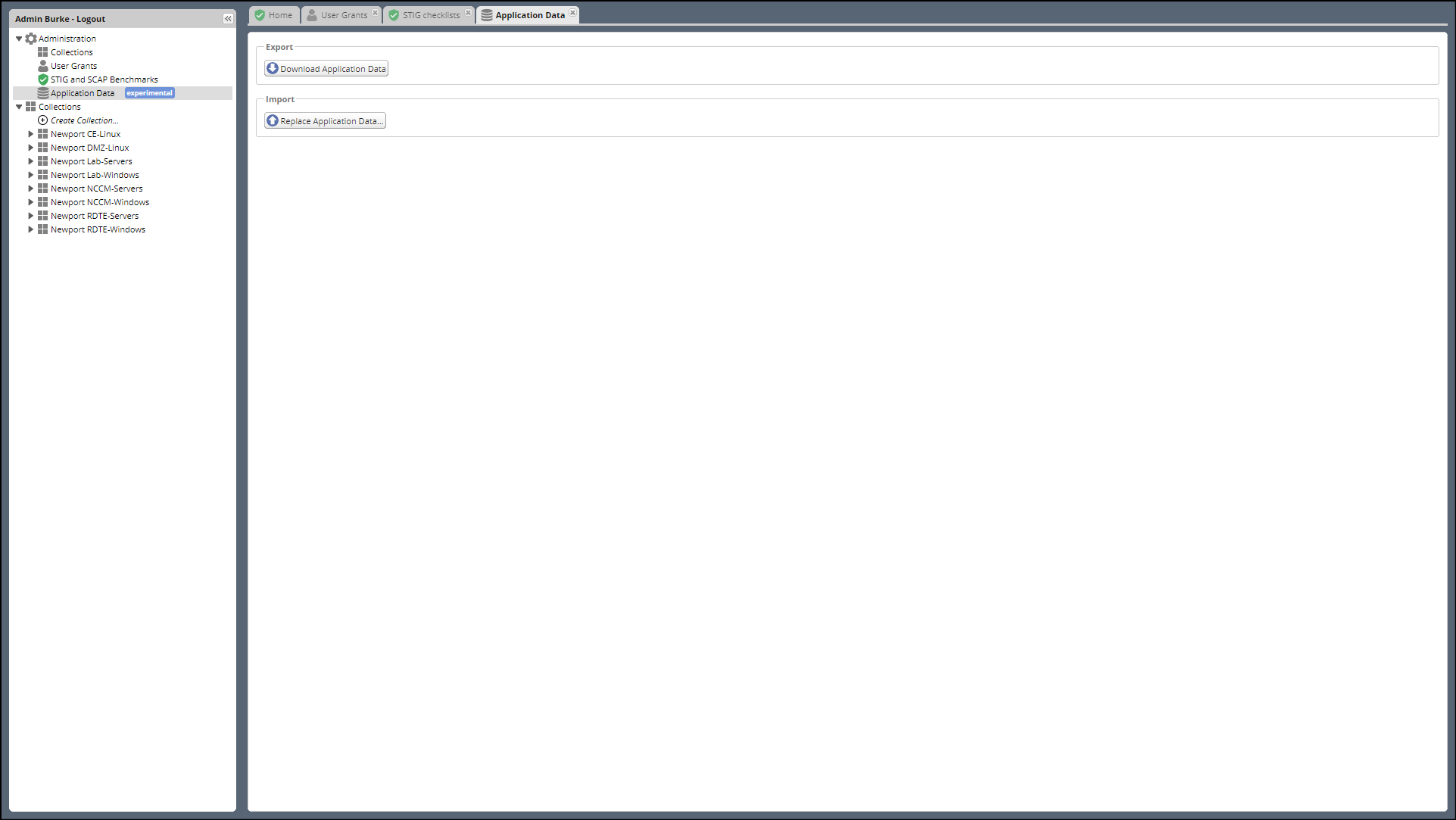
This panel allows App Managers to download a representation of all data STIGMan manages, minus the actual DISA Reference STIGs themselves. This same data can also be imported, but be aware that if data is moved to a different STIGMan instance, the destination instance must have all STIGs that were assigned to any Assets from the originating instance.
Warning
This feature is considered Experimental! Use at your own risk, and rely on daily database backups to maintain your data!